 Grantra
Joiner, mover, leaver
Reads people from your HR source and gives or removes access on their start and end dates. A dry run shows what changes, and a brake refuses a sync that would remove too many people at once.
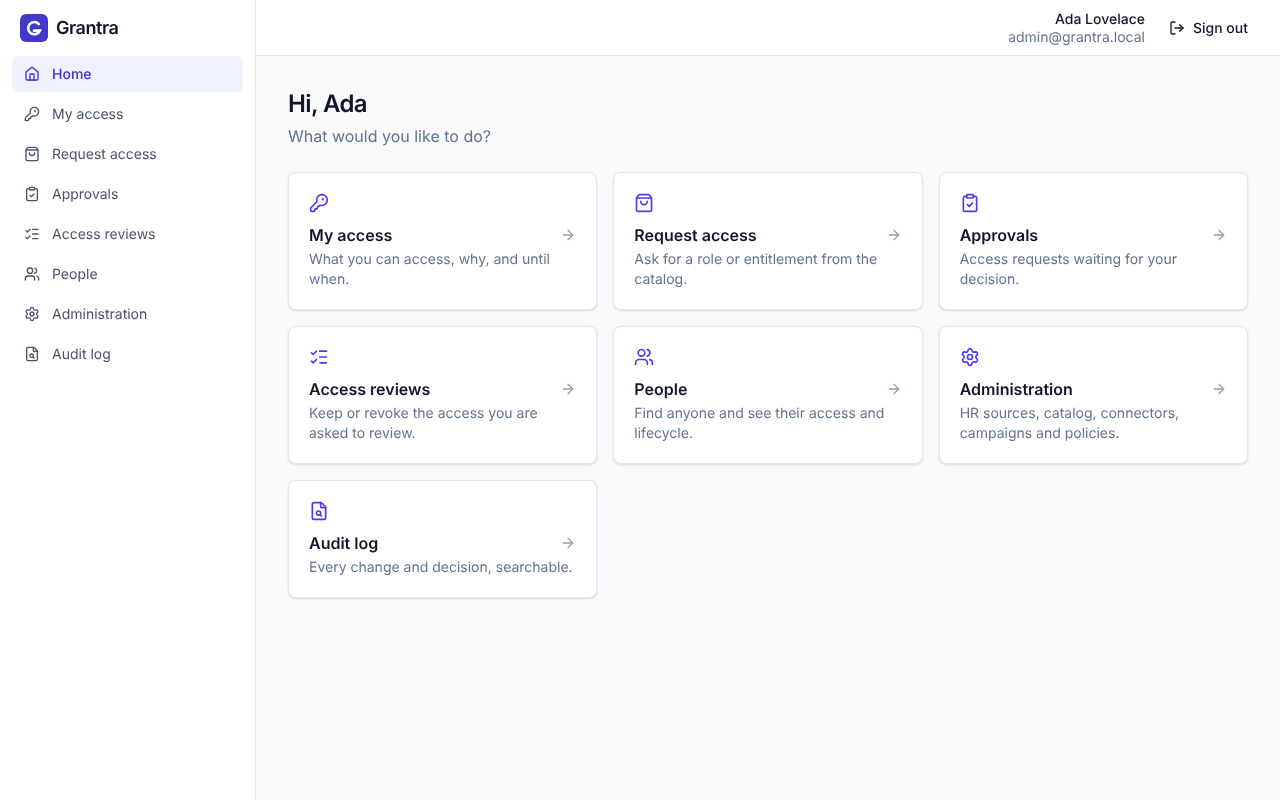
Grantra is open-source identity security: it governs access as people join, move and leave, signs them in with MFA, and hands out privileged access just in time, recorded. One self-hosted platform instead of separate SailPoint, Okta and CyberArk bills.
Identity governance
Reads people from your HR source and gives or removes access on their start and end dates. A dry run shows what changes, and a brake refuses a sync that would remove too many people at once.
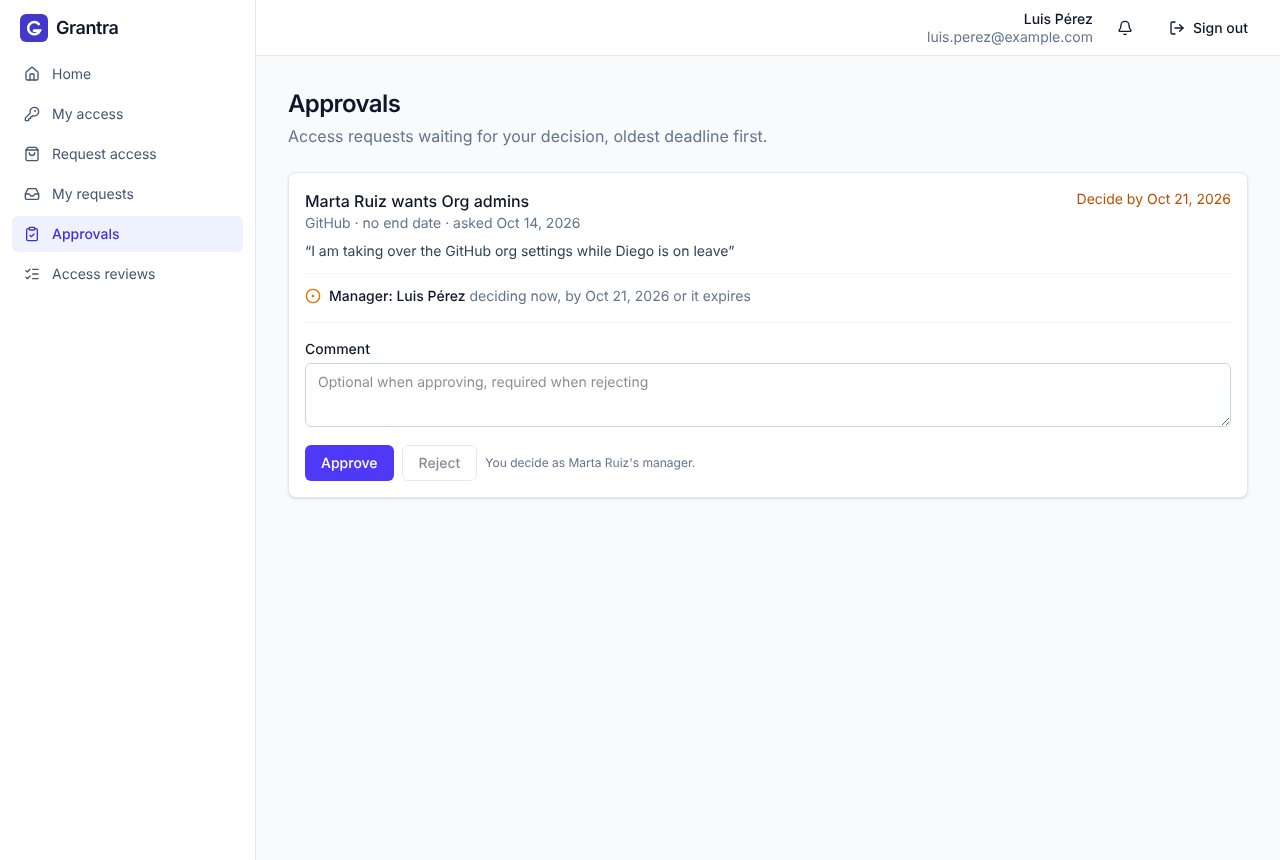
People ask for a role or entitlement from the catalog. Their manager, then the application owner, approves it, optionally until a date. Emails tell everyone when it is their turn.
Campaigns where managers or owners keep or revoke the access their people hold, with deadlines and reminders. Revoked access goes away.
Policies such as "nobody both creates and approves payments", detected every 30 minutes or stopped at request time, with time-boxed exceptions an admin signs off.
SCIM, LDAP / Active Directory and Grantra Login. Grantra reads accounts, links them to people, flags orphans, and can provision changes back, off by default and with a dry run.
Every change and decision, with who made it and why, searchable from the console and ready for your auditors.
One web app for employees, managers, application owners, auditors and admins. Each person sees what they need to do, and nothing they shouldn't.
Approvers get an inbox with the reason, the risk and the deadline, so saying yes or no takes seconds instead of a ticket.
Access management
Keep Entra ID, Okta or Keycloak and let Grantra govern on top. No identity provider yet, or want to leave one? Grantra Login, a Keycloak managed from the Grantra console, ships with it.
Ask for a second factor from everyone, or only from people who hold sensitive access. Grantra keeps that list up to date as access changes.
People sign in with Entra ID, Okta, or any OpenID Connect or SAML provider. Move one email domain at a time, and import users and apps from another Keycloak after a dry run.
Your apps ask Grantra whether someone may do something, and Cedar policies answer with the person's roles, manager and entitlements. Leavers are always denied.
Privileged access
Admin access is something people activate for a few hours with a reason, not something they keep. When it ends, Grantra takes it back on its own.
# 1. In My access: activate "prod-api" for 2 hours, with a reason
# 2. In Servers: Get certificate, valid until the access ends

$ ssh -p 2222 prod-api@ssh.example.com
# the gateway checks the access and records everything
deploy@prod-api:~$ sudo systemctl restart api
deploy@prod-api:~$ exit

# 2 hours later the access ends and any open session closes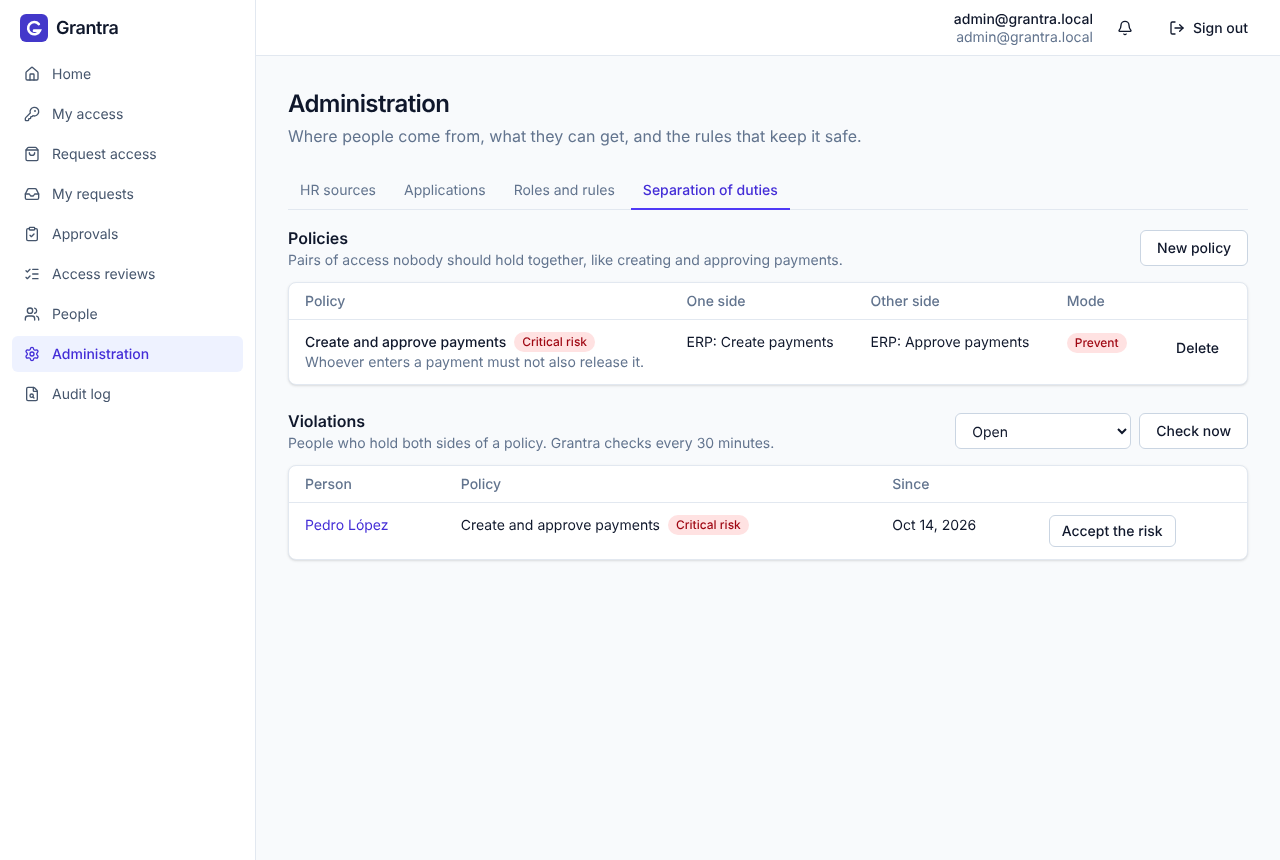
All you need is Docker. The stack starts with a small sample company to play with.
git clone https://github.com/grantra-dev/grantra.git
cd grantra
make up
Open http://localhost:8080 and sign in as admin / admin, or as a sample employee such as marta with the password demo. The demo guide walks through a new hire, an approval, an access review and a leaver.
Yes. Grantra is Apache 2.0: you can run it, change it and use it commercially. You host it on your own infrastructure.
No. Grantra governs access on top of Entra ID, Okta, Keycloak or Active Directory. Grantra Login is there if you want it, and you can move over one domain at a time.
Grantra is young and versions before 1.0 may change behavior. It ships a Helm chart, observability and signed releases, and we recommend starting with a pilot. Report security issues as described in the security policy.